Solar quoting for installers
From power bill to proposal.
Enter your customer's usage, or read a CFE bill (PDF or image) in Mexico. KinWatt sizes the system, estimates savings and payback, and builds a branded PDF proposal you can send in minutes. On iPhone, iPad and Mac.
Coming soon to the App Store
Launching on iPhone, iPad and Mac. 14-day free trial · Your data stays on your devices and in your iCloud.

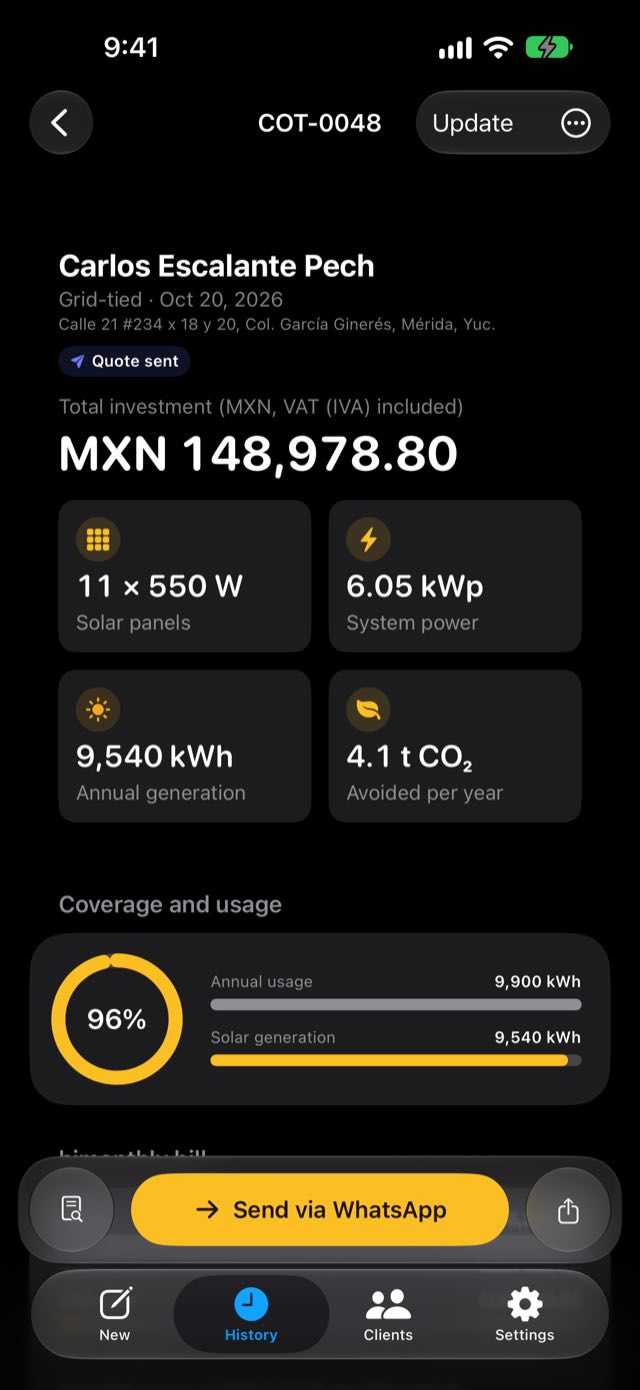
iPhone · iPad · Mac — one app, synced with iCloud.
One app. Every device.
On site, at the office, on the couch.
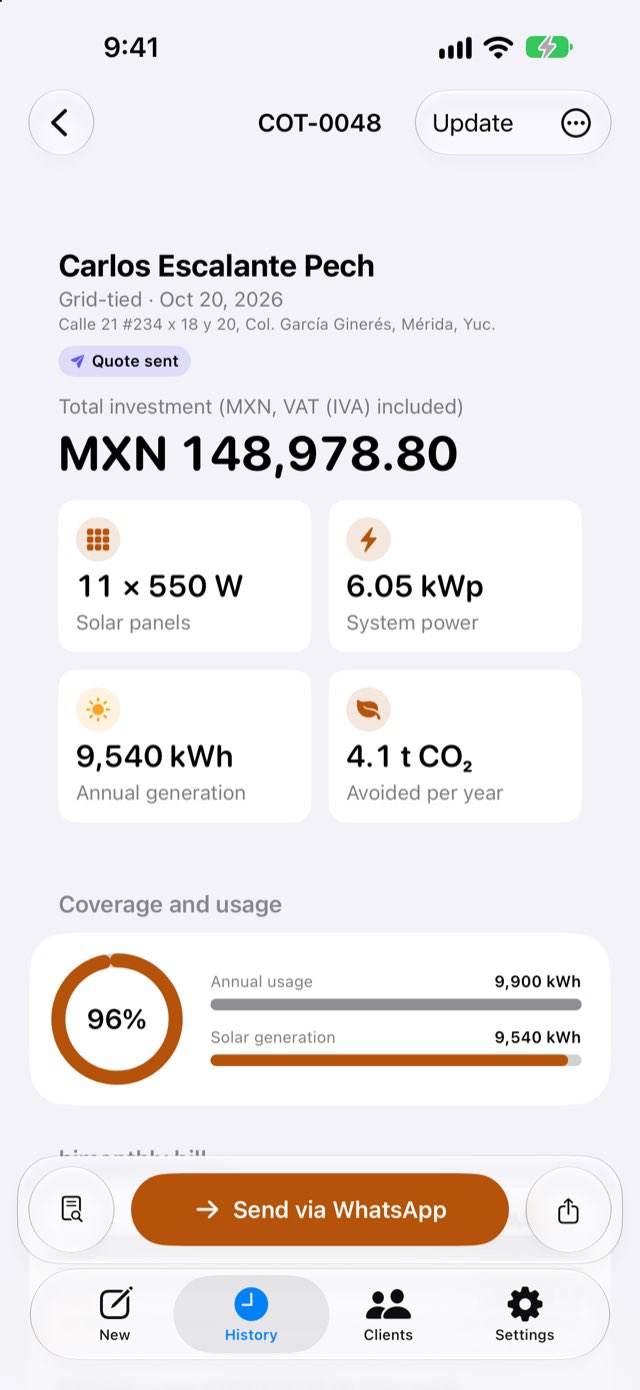
Start a quote on your iPhone in front of the customer and finish it on your Mac. Your quotes and customers stay in sync through your iCloud.
iPhone
Quote on site. Send it on the spot.
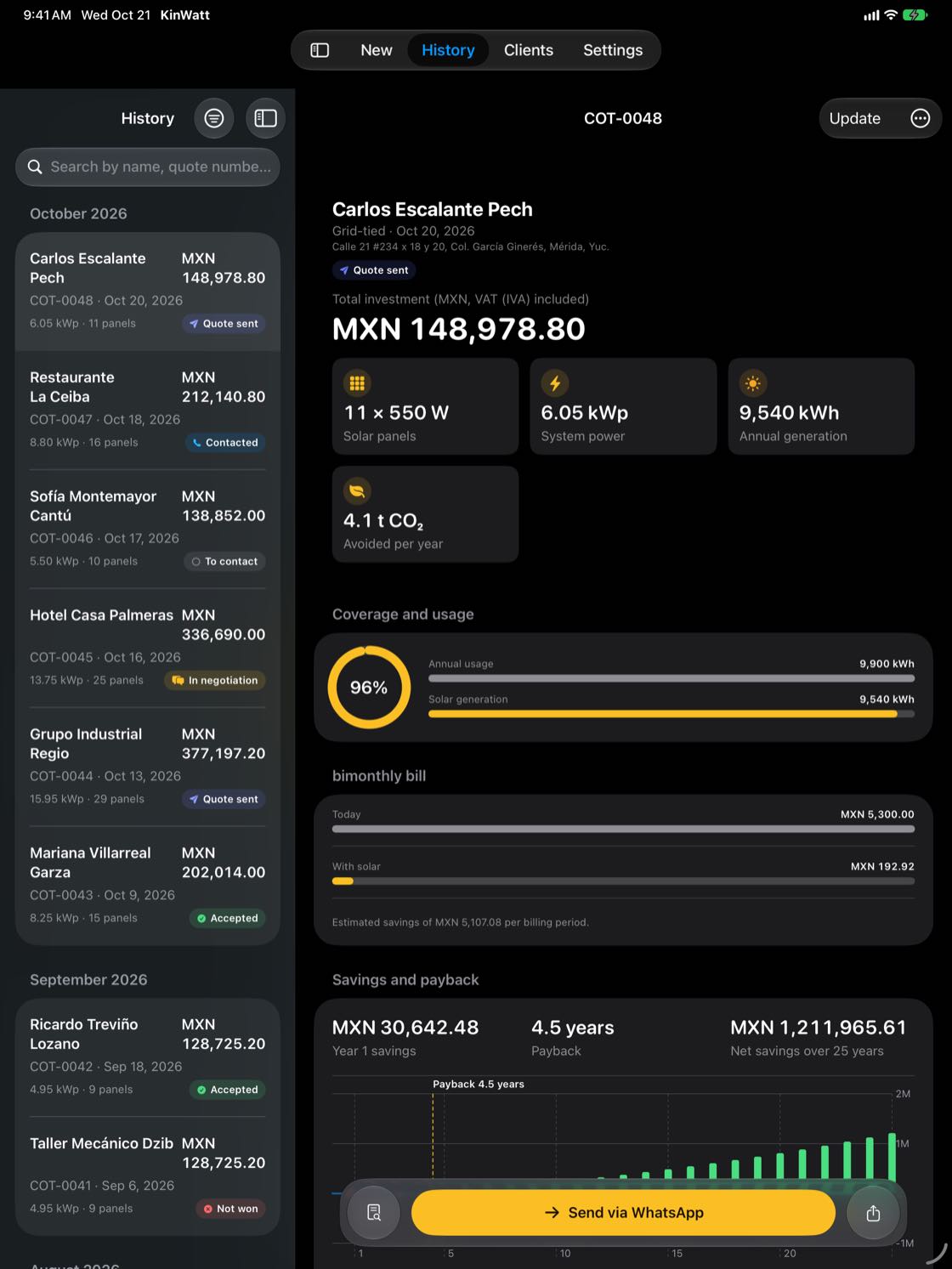
iPad
Walk your customer through the proposal.
Mac
Sidebar, tables, live PDF preview and keyboard shortcuts.
Less typing
Drop in the bill. Done.
In Mexico, KinWatt reads CFE electricity bills (PDF or image) and fills in the account holder, address, rate and usage history. Everything is processed on your device. Anywhere else, enter usage in seconds as an average or by billing period.

Numbers that close deals
See the savings. See the payback.
Coverage, today's bill versus the bill with solar, first-year savings and payback period, plus a 25-year chart. Based on solar data for the project's city from NASA POWER.
Savings and payback are estimates and depend on usage, rates and actual production.
Your brand on every page
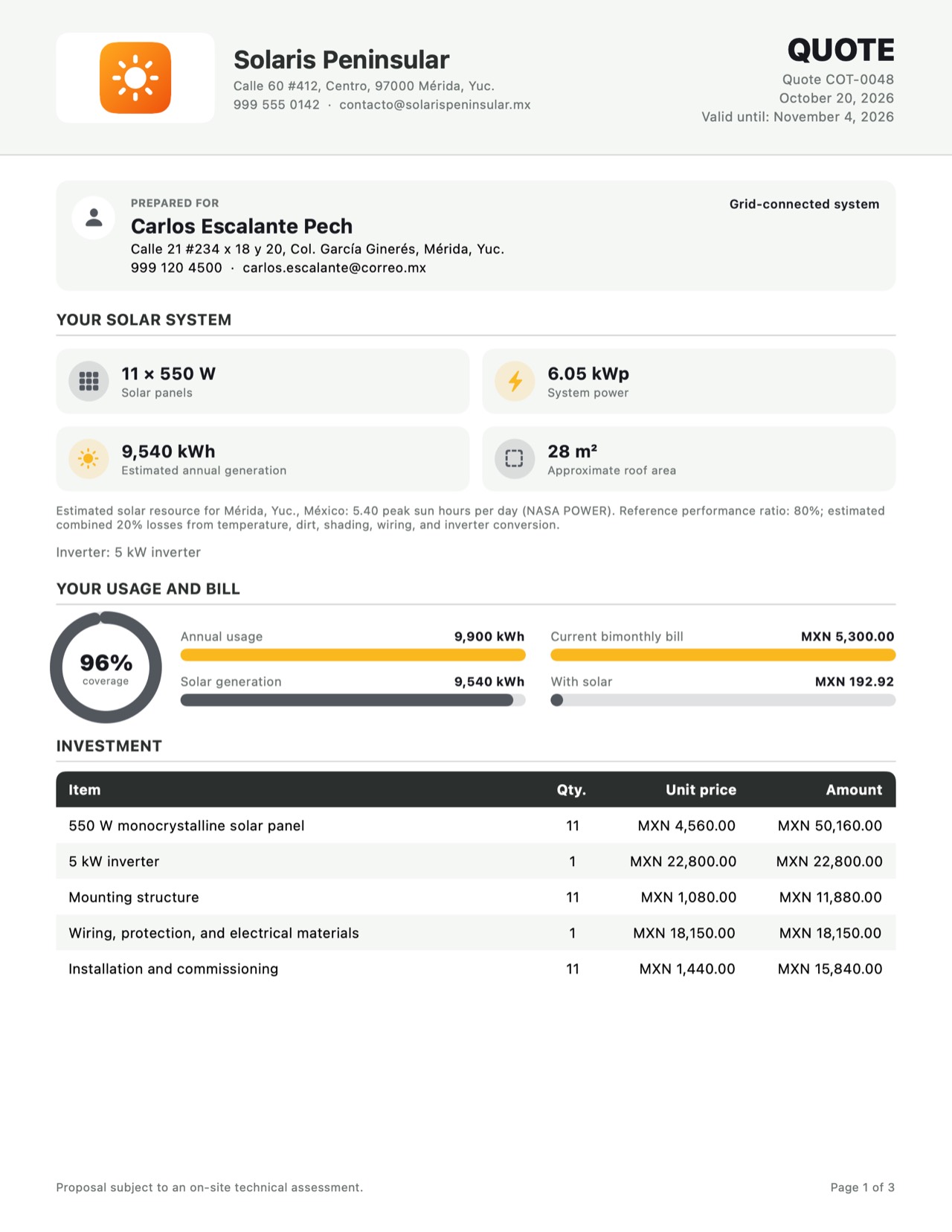
A polished PDF in minutes.
Your logo, your details, your quote number. System, investment with tax, down payment, payment terms, warranties, and estimated savings and payback. Apple Intelligence helps you write the cover text, right on your device.
AI writing requires iOS 26 or macOS 26 and an Apple Intelligence–compatible device.
Where your customers are
Straight to their WhatsApp.
One tap opens your customer's chat with the message ready to go. Attach the PDF and send. Email, AirDrop and print work too.
More than a quote tool
Every customer. Every deal.
Track each proposal from “to contact” to “quote sent”, “in negotiation” and “accepted”. The sales dashboard shows what you've closed, what's in the pipeline and your close rate.


Real prices, no retyping
On Mac, import your supplier's price list.
On Mac, drop in an Excel, CSV or PDF file and KinWatt picks up products and prices. Add gear from the built-in Victron, Pytes and Pylontech libraries, then apply your margin.

At a glance
Your pipeline on your Home Screen.
Widgets show open proposals and this month's sales, on your Home Screen and Lock Screen.


Dark Mode
Light or dark. However you work.
KinWatt follows your device's appearance and supports larger text. Quote just as comfortably in bright sun as at your desk at night.
And more
Down to the details.
- Grid-tied, off-grid or hybrid
- City-level solar data (NASA POWER)
- Any country, any currency
- Official DOF rate in Mexico
- Dark Mode and larger text
- Search by customer, quote number or date
Sample
See a real KinWatt proposal.
Download a 3-page sample with system, investment, down payment, and estimated savings and payback.
Download samplePDF · 3 pages
Privacy
Your customers stay yours.
Quotes, customers and prices live on your devices; quotes and customers sync through your iCloud account. KinWatt doesn't run servers that store your data. Bill reading and AI writing happen on device.
On device.
Bills, PDFs and AI are processed locally.
In your iCloud.
Sync runs on your iCloud account, not ours.
No ads.
You pay with a subscription, not your data.
14-day free trial
One plan. Everything included.
Try KinWatt free for 14 days. Then go monthly or yearly. Cancel anytime in your App Store account.
Monthly
$129
MXN per month
Yearly
$999
MXN per year
Save 35%
- Unlimited quotes and PDF proposals
- CFE bill reading and DOF exchange rate (Mexico)
- Catalog, price list import (Mac) and Victron, Pytes and Pylontech libraries
- Your logo and Apple Intelligence writing
- Customers, follow-ups and sales dashboard
- One subscription for iPhone, iPad and Mac, with iCloud sync
Prices shown are for Mexico and vary by country. Billed through your Apple Account. Subscriptions renew automatically.
Frequently asked questions
Do I need an internet connection?
Not for the core work: bill reading, calculations, PDFs and AI writing run on your device. You'll need a connection to fetch solar data for the city and the day's exchange rate, to sync with iCloud and to send via WhatsApp.
Does it work outside Mexico?
Yes. Pick your country and currency in Settings, or quote in US dollars. Tax labels follow your country (VAT, Sales Tax, and so on). Bill reading is for Mexico's CFE only; elsewhere, entering usage takes seconds.
Which brands can I quote?
Any brand. Import your supplier's price list (Excel, CSV or PDF) on Mac, or add products by hand. Built-in libraries cover Victron Energy, Pytes and Pylontech for off-grid and hybrid systems.
How does pricing work?
A monthly or yearly App Store subscription, with a 14-day free trial. One subscription covers your iPhone, iPad and Mac on the same Apple Account. Cancel anytime in your account settings.
Where does my data live?
On your devices and in your iCloud account. KinWatt doesn't run servers that store your quotes or customers.
What do I need to run it?
An iPhone or iPad on iOS/iPadOS 17 or later, or a Mac on macOS 26 or later. AI writing requires iOS 26 or macOS 26 and an Apple Intelligence–compatible device.
Are the savings figures exact?
They're estimates based on usage, rates and local solar data, and the proposal says so. Actual results depend on the installation and how the energy is used.
Your next proposal, in minutes.
From power bill to PDF to WhatsApp. On iPhone, iPad and Mac.
Coming soon to the App Store
Questions, or quoting with a team? Get in touch